


Medical software ZedViewCTfor shoulder surgeryviewer

Add to favorites
Compare this product
Characteristics
- Applications
- medical, CT, for shoulder surgery
- Function
- viewer, planning, import
Description
ZedShoulder creates 3D models of the bone using CT data, and supports planning and assessing RSA (Reverse Shoulder Arthroplasty) and TSA (Total Shoulder Arthroplasty).
User can perform surgical simulations (such as positioning of glenoid component, calculation of parameters, etc.) in simple steps, and also calculate ROM (Range Of Motion) of the shoulder.
Features
Database of Patient Records
User can import CT data in DICOM format into a database application.
Patient information (such as name, sex, date of birth, etc.) can be managed uniformly.
Furthermore, this database application can be used as simple DICOM viewer to view the images in axial, sagittal and coronal views.
Positioning of Implants
.Implants can be placed at optimal positions on 3D model and MPR (Multi-Planar Reconstruction) images created based on CT images.
User can create 3D templating of off-the-shelf stem and glenoid.
Calculation of Parameters
ZedShoulder can calculate parameters such as:
Pre-Operative Parameters: Humerus Retroversion, Glenoid Version and Inclination
Humerus Stem: Stem Retroversion, Angle of Adduction and Flexion
Glenoid: Version, Inclination, etc.
Bone Transplantation Simulation
User can simulate bone transplantation in a few steps.
The diagonally cut cylinder is used for the transplantation model, and the shape can be changed.
ROM Simulation
User can simulate ROM by repositioning stem and glenoid placed in 3D templating.
The position of impingement between stem and glenoid, and humerus and scapula can be checked in 3D, and a red mark is displayed at the point of impingement.
Catalogs
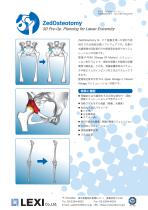
ZedOsteotomy
1 Pages

ZedSpine
1 Pages
Other LEXI Co. products
Products


*Prices are pre-tax. They exclude delivery charges and customs duties and do not include additional charges for installation or activation options. Prices are indicative only and may vary by country, with changes to the cost of raw materials and exchange rates.
About MedicalExpo
MedicalExpo is a marketplace that offers B2B players a complete experience, from product sourcing to purchase. MedicalExpo is an entity of VirtualExpo Group.
Are you a buyer?
Are you a supplier?
© 2026 All rights reserved - Terms - Privacy policy - General Terms - Manage cookies - 鄂ICP备2026053537号-3 -